
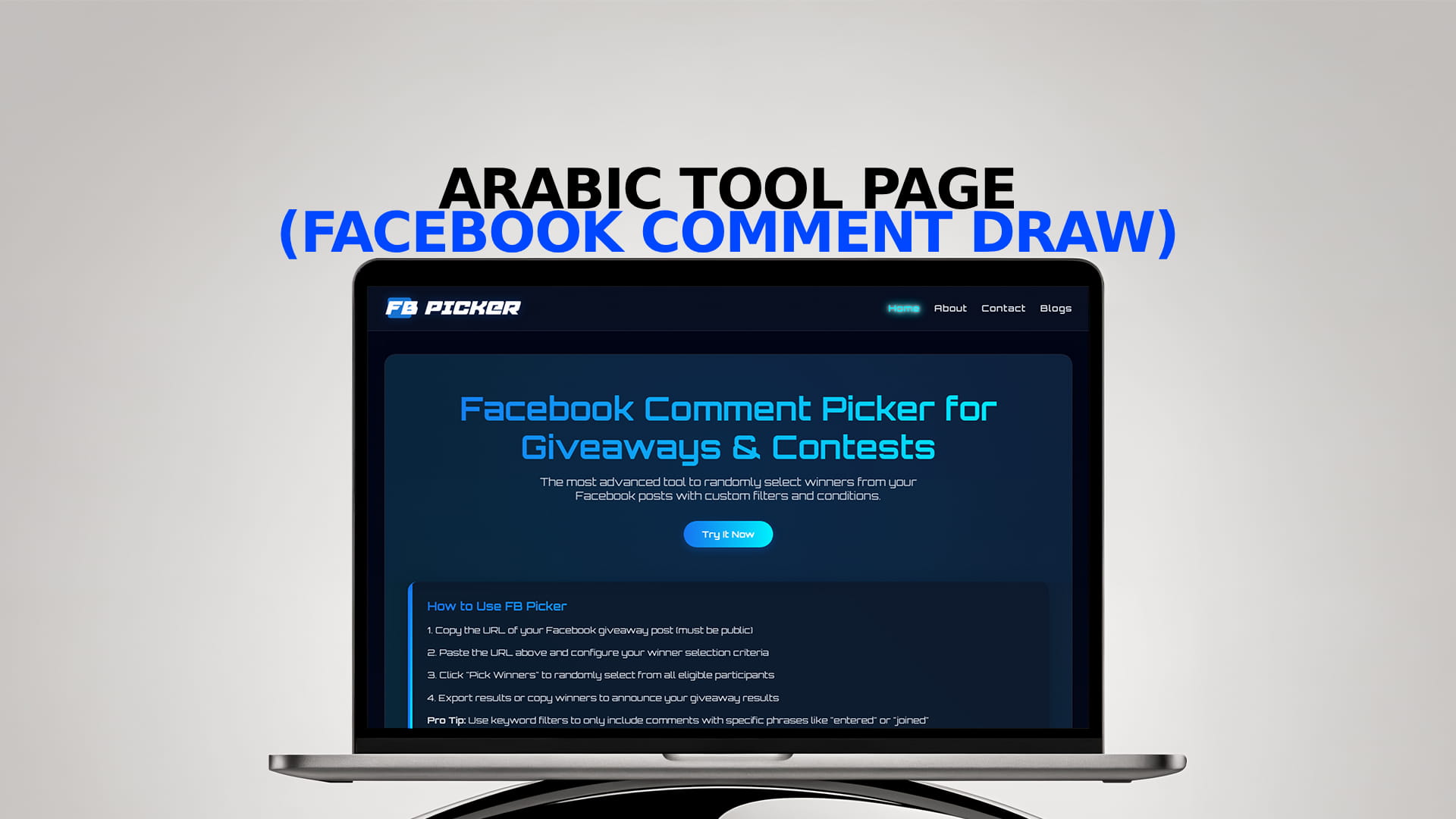
Arabic tool page (Facebook comment draw)
Running a giveaway on Facebook is the easy part: you post, people comment, and the count climbs. The hard part arrives when entries close and you're looking at hundreds of comments, some duplicated, some that don't meet your conditions, and an audience waiting for a result they'll accept without argument. Picking a name by eye doesn't work, and checking everything by hand takes hours and still leaves room for doubt.
This page covers two things: exactly what the comment draw tool does, and how to use it at each step so you end up with a winner that's both fair and easy to defend. It's written for page owners and marketers, not developers, so no technical knowledge is needed.
What the Tool Does
The tool takes a Facebook post, reads the comments on it, and selects one or more winners at random from the valid entries. It's built for the most common giveaway mechanic there is: "comment to enter."
In practice it gives you four things:
- Automatic comment loading. You paste the post link and the tool gathers the entries, instead of you copying them one by one.
- Filters. You can remove duplicate entries, require a specific keyword, or exclude your own page's comments so they don't end up in the draw.
- Random selection. The winner comes out of a random process rather than your judgment, and you can pick several winners and backups in the same round.
- An on-screen result. Everything happens in front of you, so you can record it and publish the clip as proof the draw was clean.
Before You Start: What to Prepare
No tool can be fairer than the conditions you give it. Settle these before you open it.
A public post. For the tool to read the comments, the post has to be visible to everyone. If it's limited to a narrower audience, the tool can't reach it. Remember too that posts inside private groups aren't available to outside tools no matter what link you hold; we cover the difference between pages and groups in our guide to picking winners from a Facebook group vs. a page.
Written rules. Set out how people enter, until when, how many winners there will be, how you'll choose them, and how you'll contact them. If you want a template to start from, the giveaway rules generator helps you avoid leaving out an essential clause.
An exact closing time. "Thursday" isn't enough. Write the date, the hour, and the time zone, and treat every comment after that moment as invalid. This single point removes the most common dispute after an announcement.
Simple entry conditions. Every extra requirement loses you entrants halfway through and adds argument later. One action, such as commenting, is the cleanest. Facebook also limits what you can require as a condition of entry, such as making people share the post to their personal timeline, so check its current policies before you launch.
How to Use It, Step by Step
1. Copy the right link
Open your giveaway post in a browser, wait for the page to load fully, then copy the address from the browser's address bar. Don't use a shortened link or the one from a notification, because it may redirect to a different address and leave the tool unable to find the post. Copy the whole link without trimming anything, however long it looks.
2. Paste it and load the comments
Paste the link into the tool and let it load the entries. If the number that appears looks lower than expected, check that the post is public and that no replies are hidden behind "view more comments." If the comments won't load at all, our guide to Facebook comments not showing or loading walks through the usual causes and the fix for each.
3. Apply your filters
This is where the draw's cleanliness is decided. The usual setup is:
- Remove duplicates, so each person counts once, unless your rules grant extra entries.
- Require the keyword or condition you asked for in the post.
- Exclude your own page, so your replies to entrants don't land in the draw list.
Note down which filters you used. If someone later asks why their comment wasn't counted, you can answer from a record rather than from memory. Of the three, duplicate removal is the one that changes the odds most, since a handful of people commenting repeatedly can otherwise take a disproportionate share of the entries.
4. Set the number of winners
Decide how many winners you need and how many backups. Drawing the backups at the same moment as the main winner spares you from having to repeat the draw in public if the first person never replies.
5. Run the draw on screen
Run the selection while recording your screen. Ideally the recording shows the post, the number of valid entries, and the final result. That short clip does more for your audience's trust than any amount of reassurance.
6. Verify, then announce
Before announcing, confirm the winner's account is real and meets your conditions. Then publish the result somewhere visible, stating the number of valid entries and how the winner was chosen, and give a clear deadline to claim the prize.
Why a Random Draw Beats Picking by Hand
Some page owners ask what's wrong with reading the comments and choosing one themselves. The problem isn't intent; it's what you can prove.
When you choose yourself, you have no way to convince your audience that nothing influenced the pick, not the account's photo, not how the comment was phrased, not whether the entrant is someone you recognize. Even if you were entirely fair, the absence of evidence is the issue, not your motives. A recorded random draw hands people something concrete they can see for themselves.
There's a second, practical reason: long lists exceed what anyone can actually review. Hundreds of comments can't all be read, and whoever tries ends up choosing from among the first few dozen they saw. That quietly excludes most entrants without anyone meaning to, and makes timing rather than luck the thing that decides the winner.
Which Filters to Use for Each Type of Draw
Not every giveaway needs the same settings. These are the most common combinations:
"Comment to enter." Remove duplicates and exclude your page, nothing more. It's the simplest case and the one that generates the least argument.
"Comment a specific word." Add the keyword filter. Expect some entrants to misspell it or use a different form, especially on a phone; decide in advance whether you'll accept near-matches or only the exact wording, and apply that decision to everyone equally.
Several prizes. Ask for more than one winner in the same round, and make sure one person can't take two prizes unless your rules explicitly allow it. Our guide to drawing multiple winners in a single pass explains that setup in more detail.
Multiple entries per person. If your rules grant an extra entry for an extra action, keep those entries and don't remove the duplicates that correspond to them, or your list won't match what you promised.
When the Tool Isn't the Answer
It's worth knowing where the tool's reach ends, so you don't promise what it can't do.
Private groups. A private group's content isn't available to outside tools. The alternative is collecting entries manually into a spreadsheet, validating them against your rules, and drawing from that numbered list.
Entries from outside Facebook. If people sign up by email, through a form, or in a physical shop, there are no comments to read. In that case, number the valid entries from 1 to your final total and draw a number inside that range, always setting the range to the actual number of entries rather than an estimate.
Complex conditions. If your mechanic requires checking several things at once, such as following multiple accounts and uploading a photo, the tool can only help with the comment part. You'll have to verify the rest yourself, and the more complex the mechanic, the stronger the case for simplifying it.
Common Mistakes in a Facebook Comment Draw
Pasting the page link instead of the post link. The tool needs the specific post. If the link contains only the page name, it doesn't point to the giveaway.
Changing the rules mid-contest. The published rules are the binding ones, even if a change looks like an improvement. Altering them invites suspicion, however good your intentions.
Keeping no evidence. Comments can be edited or deleted after the announcement. Save the list of valid entries, your screenshots, and the recording of the draw.
Announcing before verifying. A fake account, or one that no longer exists, forces you to repeat the process in front of everyone.
Confusing the tool with the rules. The tool selects; the rules protect. A flawless draw doesn't excuse you from clear rules that everyone can read.
How to Write the Post So the Draw Is Easy Later
Most of the problems that surface at draw time were created in the wording of the post. A carefully written post saves you half the work.
Lead with the prize, since that's what stops the scroll. Then state how to enter in one short sentence that can't be read two ways, such as "comment one word describing what you like about it." After that, put the closing time with date, hour, and time zone, then the number of winners and how you'll announce them.
Add a line clarifying that the giveaway isn't sponsored or endorsed by Facebook, since that's required by the platform's policies. Say where you'll announce the result too, whether in a pinned comment or a new post, so nobody has to ask later.
Avoid wording that's hard to verify afterwards, such as "best comment wins," if you intend to run a random draw. Pick one clearly: either a random draw from all valid entries, or a choice based on a criterion you state outright. Blurring the two is what most often triggers suspicion at announcement time.
A Timeline for a Giveaway Without Surprises
A simple order of work prevents most problems.
Before posting. Write the rules, settle the entry method and closing time, and confirm the post will be public. Draft the winner announcement in advance so you're not writing it in a rush.
During the giveaway. Remind your audience of the closing time halfway through with a short post, and change nothing you've already announced. Answer questions calmly and point people back to the published rules.
At closing. Save a screenshot of the post as it stands, copy the final link, and record the exact closing time. These are your backup if an objection arrives days later.
At the draw. Load the comments, apply the filters, draw the winner and backups while recording your screen, then verify the winner's account before announcing any name.
Afterwards. Publish the result, contact the winner, set a claim deadline, and log the prize handover.
What to Do After the Announcement
Many page owners stop at announcing the name, and that's where the biggest opportunity in a giveaway gets wasted. The new entrants have only just arrived, and most of them won't win, so what keeps them around is the sense that the process was run properly.
Thank entrants explicitly, and post a photo or clip of the prize being handed over if you can, since it's stronger evidence of a real giveaway than anything you could write. Then point to the next giveaway in one line, so anyone who followed you has a reason to stay.
Keep a short record of each giveaway too: the number of valid entries, the type of prize, and how many followers were still there a week later. After three or four contests you'll know which kind of prize brings you real followers and which brings people hunting for any prize at all. That knowledge is worth more than any general advice, because it's built on your own audience.
How to Show the Draw Was Fair
Your audience's trust is won at the moment you announce the result. Three habits cover most situations: record your screen during the draw, publish the number of valid entries alongside the winner's name, and keep the final list in case anyone objects. None of it is complicated; what matters is doing the same thing every time, so your audience knows what to expect from you.
The important part is publishing these details yourself rather than after someone asks. The difference matters in people's eyes: an announcement that states the count and the method from the start reads as transparent, while giving the same details in reply to a complaint reads as defending a result already under suspicion. If you want to keep the entries in a file you can review later, exporting your Facebook comments turns the comment thread into a tidy spreadsheet that's easy to archive and check back against.
The bottom line
A good draw tool does three jobs for you: it gathers the comments without manual work, applies the filters your rules set out, and picks the winner at random and in plain view. The rest is on you: a public post, simple conditions, an exact closing time, and a record of what you did. With that preparation, picking a winner from a Facebook giveaway takes a couple of minutes and leaves very little room for argument.
Frequently Asked Questions
That depends on the tool. Some work by pasting the link of a public post without connecting your account. Check what permissions a tool asks for before granting it any access.
Not with private groups, since outside tools can't read their content whether or not you have the link. If your giveaway is in a private group, you'll need to collect the entries manually and draw from that list.
Remove duplicate comments before drawing, and if you're picking several winners, make sure one person can't be selected for two prizes unless your rules allow it.
Draw backups in the same round, state a claim deadline in your rules, and move to the next backup when it expires, announcing that clearly.
Yes, they're worth having even for a small one. Clear rules prevent misunderstandings and protect you if someone disputes the result. For the legal specifics in your own country, it's best to consult a professional.