
How to Pick Winner from Facebook Comments Online
Running a giveaway on Facebook is one of the best ways to grow your page, increase engagement, and reward your followers. But once your contest post gets hundreds or even thousands of comments, one big question comes up: how do you pick a winner fairly?
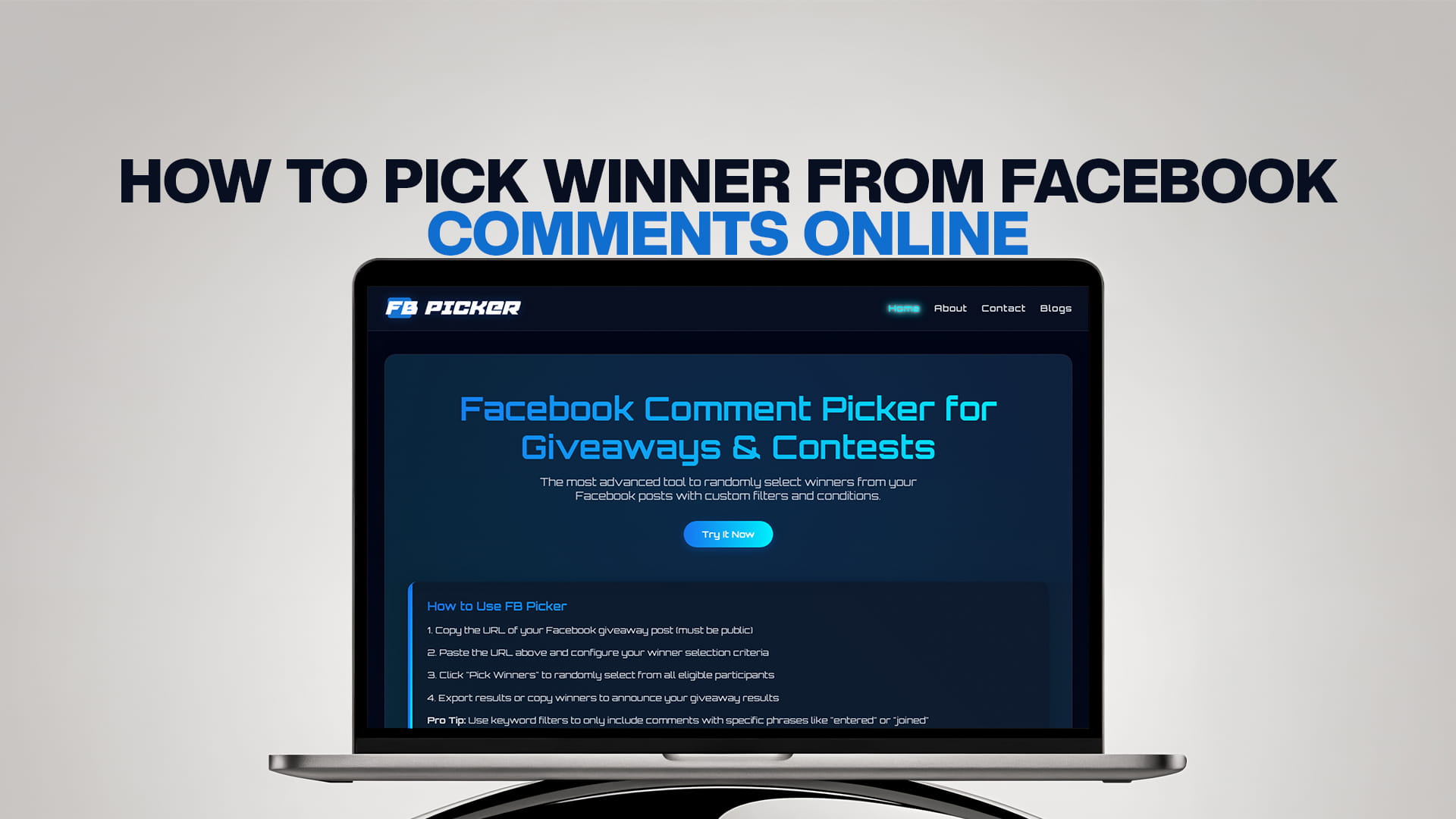
Picking a winner by hand is slow, biased, and almost impossible when your post blows up. That is where FB Picker comes in. FB Picker is the most advanced tool to randomly select winners from your Facebook posts with custom filters and conditions. It makes the whole process easy, fast, fair, and transparent.
In this guide, you will learn everything you need to know about how to pick a winner from Facebook comments online. We will walk you through why it matters, how FB Picker works, and how to run your giveaway the right way from start to finish.
Why Running Facebook Giveaways Is So Popular
Facebook has over 3 billion active users. That makes it one of the largest platforms in the world for businesses, creators, and brands. Running a giveaway or contest on Facebook is one of the fastest ways to get more people to see your page, like your posts, and follow your account.
When you post a giveaway and ask people to comment to enter, the post gets pushed by Facebook to more people because of all the engagement. More comments mean more reach. More reach means more followers. More followers means a bigger audience for everything you post in the future.
But here is the thing: a giveaway only works if people trust it. If your audience thinks the winner was chosen unfairly, or if they suspect you picked someone you already knew, they will stop participating in your contests. Trust is everything. That is why using a proper, transparent, and random tool to pick your winner is not just helpful — it is necessary.
The Problem with Picking Winners by Hand
Let us say you post a giveaway and ask people to comment their answer, tag a friend, or just write something to enter. Within a day, you have 500 comments. Within two days, maybe 2,000. How do you choose a winner?
If you scroll through manually and pick someone, there are a few obvious problems.
First, it is not truly random. Your eyes will naturally land on certain names or certain comments. You might pick someone whose comment made you smile. You might accidentally skip the same people again and again. It is human nature, and it is not fair.
Second, it takes a lot of time. Scrolling through hundreds or thousands of comments to manually pick someone is exhausting. You have better things to do with your time.
Third, it looks unfair to your audience. Even if you tried your best to be random, your followers cannot see that. They have no way to verify that the selection was fair. This can cause complaints, accusations, and a bad experience for your community.
Fourth, you cannot apply custom rules. What if you only want to pick winners from people who tagged a friend? What if you want to exclude your own comments or the comments of your page admins? Doing all of that by hand is nearly impossible.
This is exactly why tools like FB Picker exist.
What Is FB Picker?
FB Picker is the most advanced tool to randomly select winners from your Facebook posts with custom filters and conditions. It is an online tool that connects to your Facebook post, pulls all the comments, and then uses a truly random selection process to choose one or more winners.
What makes FB Picker stand out from other tools is the level of control it gives you. You are not just pressing a button and getting a random name. You can set specific conditions, apply filters, remove certain users, and make sure the selection process matches your contest rules perfectly.
FB Picker is built specifically for Facebook giveaways and contests. It works with public Facebook posts and gives you a clean, easy-to-use interface to manage your draw.
Key Features of FB Picker
FB Picker is packed with features that make running your giveaway smooth and professional. Here is what you can expect when you use it.
Truly Random Selection
FB Picker uses a certified random algorithm to select winners. This means the selection is not based on any preference, pattern, or bias. Every comment that meets your rules has an equal chance of being picked. This kind of randomness is what your audience expects and what fairness demands.
Custom Filters and Conditions
This is where FB Picker really shines. You can set all kinds of conditions before the draw happens. For example, you can require that a comment must tag at least one friend to count. You can filter by keyword so only comments that include a specific word or phrase are entered. You can set a minimum comment length. You can exclude certain users like admins, page managers, or specific accounts. You can even filter by date so only comments posted during your contest window are included.
Multiple Winners
If your giveaway has more than one prize, FB Picker lets you select multiple winners at once. You can choose how many winners you want to pick, and the tool makes sure each winner is unique — no one gets picked twice.
Duplicate Comment Handling
Some people try to cheat giveaways by posting the same comment multiple times. FB Picker can detect and filter out duplicate comments, making sure each person only gets one entry unless your rules say otherwise.
Transparent and Shareable Results
Once FB Picker selects a winner, you can share the results directly. This transparency is important because it shows your audience the draw was fair. When people can see the process was legitimate, they trust your brand more and are more likely to join your next giveaway.
Fast and Easy to Use
You do not need any technical knowledge to use FB Picker. The interface is clean and simple. You paste in your post link, set your filters, and run the draw. That is it. The whole process takes just a few minutes.
How to Pick a Winner from Facebook Comments Using FB Picker
Now let us walk through exactly how to use FB Picker step by step.
Step 1: Run Your Facebook Giveaway Post
Before you can pick a winner, you need to run your contest. Post your giveaway on your Facebook page or profile. Be clear about the rules. Tell people what they need to do to enter. Common entry methods include leaving a comment, tagging a friend in the comments, answering a question, or sharing the post and commenting to confirm.
Make sure your post clearly states when the contest ends and how the winner will be announced. Transparency from the beginning builds trust with your audience.
Step 2: Wait for the Contest to End
Let your giveaway run for the amount of time you planned. This could be a few hours, a day, a week, or longer. During this time, engage with your commenters, answer questions, and keep the excitement going. The more people comment, the more Facebook pushes the post to new audiences.
Once the deadline passes, do not accept any more entries. Be consistent with your rules.
Step 3: Copy Your Facebook Post URL
Go to your Facebook post and copy the URL from your browser's address bar. This is the link that FB Picker will use to access your post and pull all the comments.
Make sure the post is set to public. If your post is private or restricted, the tool will not be able to access the comments. Public posts are always recommended for giveaways because they allow more people to see and enter.
Step 4: Open FB Picker
Visit FB Picker. You will see a simple and clean interface ready for you to use.
Step 5: Paste Your Post Link
Paste the URL of your Facebook giveaway post into the input field. FB Picker will then load the post and start pulling all of the comments.
Step 6: Set Your Filters and Conditions
This is the most important step. Before you run the draw, set your filters based on your giveaway rules. Here are some options you might use:
If your contest required people to tag a friend, you can set a filter to only include comments that contain a tag. If your contest required a specific keyword or hashtag, you can filter by that word. If you want to exclude admins or certain users from winning, you can add them to an exclusion list. If someone posted multiple comments, you can set the tool to only count their first comment or only count unique commenters.
Take your time with this step. The filters you set here determine who is eligible to win. Make sure they match the rules you told your audience at the start of the giveaway.
Step 7: Choose How Many Winners to Pick
Select how many winners you want to draw. If you have one prize, select one winner. If you have multiple prizes, you can select multiple winners at once.
Step 8: Run the Draw
Once everything is set, click the button to run the draw. FB Picker will process all the eligible comments and randomly select your winner or winners.
The selection happens in seconds. You will see the winner's name and comment displayed clearly on your screen.
Step 9: Announce Your Winner
Now it is time to announce your winner. You can announce them in a comment on your original post, create a new post, or share the FB Picker results page directly. Many giveaway runners do all three to make sure the announcement reaches as many people as possible.
Tag the winner in your announcement so they get notified right away. Ask them to message you to claim their prize.
Step 10: Deliver the Prize
Contact your winner and deliver the prize as promised. Make sure you do this quickly and smoothly. A positive prize delivery experience encourages the winner to share their win publicly, which is great free promotion for your next giveaway.
Tips for Running a Successful Facebook Giveaway
Using FB Picker takes care of the winner selection, but there are other things you can do to make your giveaway as successful as possible.
Be Clear About the Rules
Always write out your rules clearly in your post. Tell people exactly what they need to do to enter, when the giveaway ends, and when and how you will announce the winner. Vague rules lead to confusion and complaints.
Choose a Prize That Your Audience Loves
The prize is the heart of your giveaway. If the prize is something your audience truly wants, you will get a lot more entries. Think about what your followers care about. If you sell a product, give away your best product. If you are a creator, give away something personal and exclusive. The more relevant the prize, the more genuine entries you will get.
Promote the Giveaway
Do not just post it and wait. Share the post in your stories, mention it in other posts, and ask friends to share it. The more eyes you get on the giveaway post, the more entries you will receive.
Engage with Commenters
While the giveaway is running, reply to comments, thank people for entering, and answer any questions. This kind of engagement keeps the energy going and encourages more people to enter.
Announce the Winner Publicly
Always announce the winner in a transparent way. Use FB Picker to show that the process was random and fair. This public announcement builds trust and makes people feel good about entering your next contest.
Follow Facebook's Promotion Guidelines
Facebook has rules about how promotions can be run on its platform. Make sure you are following those guidelines to avoid having your post removed or your account penalized. Avoid tactics that violate their terms, and always make it clear that the promotion is not sponsored or endorsed by Facebook itself.
Why Transparency Matters in Online Giveaways
In the age of social media, trust is your most valuable asset. If your audience does not trust you, they will not engage with you. And if they do not engage with you, your reach drops, your follower count stagnates, and your business or brand suffers.
When people enter your giveaway, they are investing their time and attention in you. They deserve a fair shot at winning. Using a tool like FB Picker shows them that you take fairness seriously. It shows that the draw is not rigged and that everyone who followed the rules had an equal chance.
Many successful brands and content creators now include the FB Picker results page as part of their winner announcement. They screen-record the draw or post a screenshot of the results. This level of transparency turns a simple giveaway into a trust-building moment for your brand.
How FB Picker Compares to Other Methods
Some people use basic random number generators or spreadsheets to pick giveaway winners. While these methods can technically work, they require a lot of manual effort. You have to copy every comment into a spreadsheet, assign each one a number, then use a random number generator to pick one. This process is time-consuming and still prone to errors.
Other people use general-purpose random picker tools that are not designed for Facebook at all. These tools cannot connect directly to your post, cannot pull comments automatically, and cannot apply the kind of custom filters that FB Picker offers.
FB Picker is purpose-built for Facebook giveaways. It connects directly to your post, handles everything automatically, and gives you all the filtering and customization you need in one place.
More Comment Picker Tools for Other Platforms
If you run giveaways and contests on other social media platforms, you are covered too. There are dedicated comment picker tools for every major platform, just like FB Picker is for Facebook.
For TikTok giveaways, visit TT Picker. TT Picker is a TikTok comment picker that works just like FB Picker but is built specifically for TikTok videos and comments. If your giveaway lives on TikTok, TT Picker makes it easy to randomly select a winner from your video comments with filters and conditions.
For YouTube contests, visit YT Picker. YT Picker is a YouTube comment picker designed to help YouTubers and video creators run fair and transparent giveaways. Whether your video has 100 comments or 100,000, YT Picker handles the draw quickly and professionally.
For Reddit giveaways and threads, visit RDT Picker. RDT Picker is a Reddit comment picker built for subreddits, posts, and community giveaways. If you are running a contest on Reddit and need a fair way to pick a winner from the comments, RDT Picker is the tool for you.
For Bluesky contests, visit BSKY Picker. BSKY Picker is a Bluesky comment picker that brings the same random and fair selection process to the growing Bluesky platform. If your community is on Bluesky, BSKY Picker makes your giveaways just as easy and transparent as anywhere else.
No matter which platform your audience lives on, there is a dedicated picker tool to help you run your giveaways the right way.
Final Thoughts
Running a Facebook giveaway is one of the best things you can do to grow your page, reward your audience, and build trust with your community. But the quality of your giveaway depends on one thing: how fairly and transparently you pick the winner.
Picking a winner by hand is not a good option. It is slow, biased, and looks unprofessional. Using a purpose-built tool like FB Picker removes all of that friction. It is fast, fair, fully transparent, and packed with features to handle any kind of contest you can imagine.
FB Picker is the most advanced tool to randomly select winners from your Facebook posts with custom filters and conditions. Whether your post has 50 comments or 50,000, it handles the draw in seconds and gives you results your audience can trust.
So next time you run a Facebook giveaway, skip the manual scrolling and use FB Picker. Your audience deserves a fair draw, and your brand deserves the trust that comes with it.