
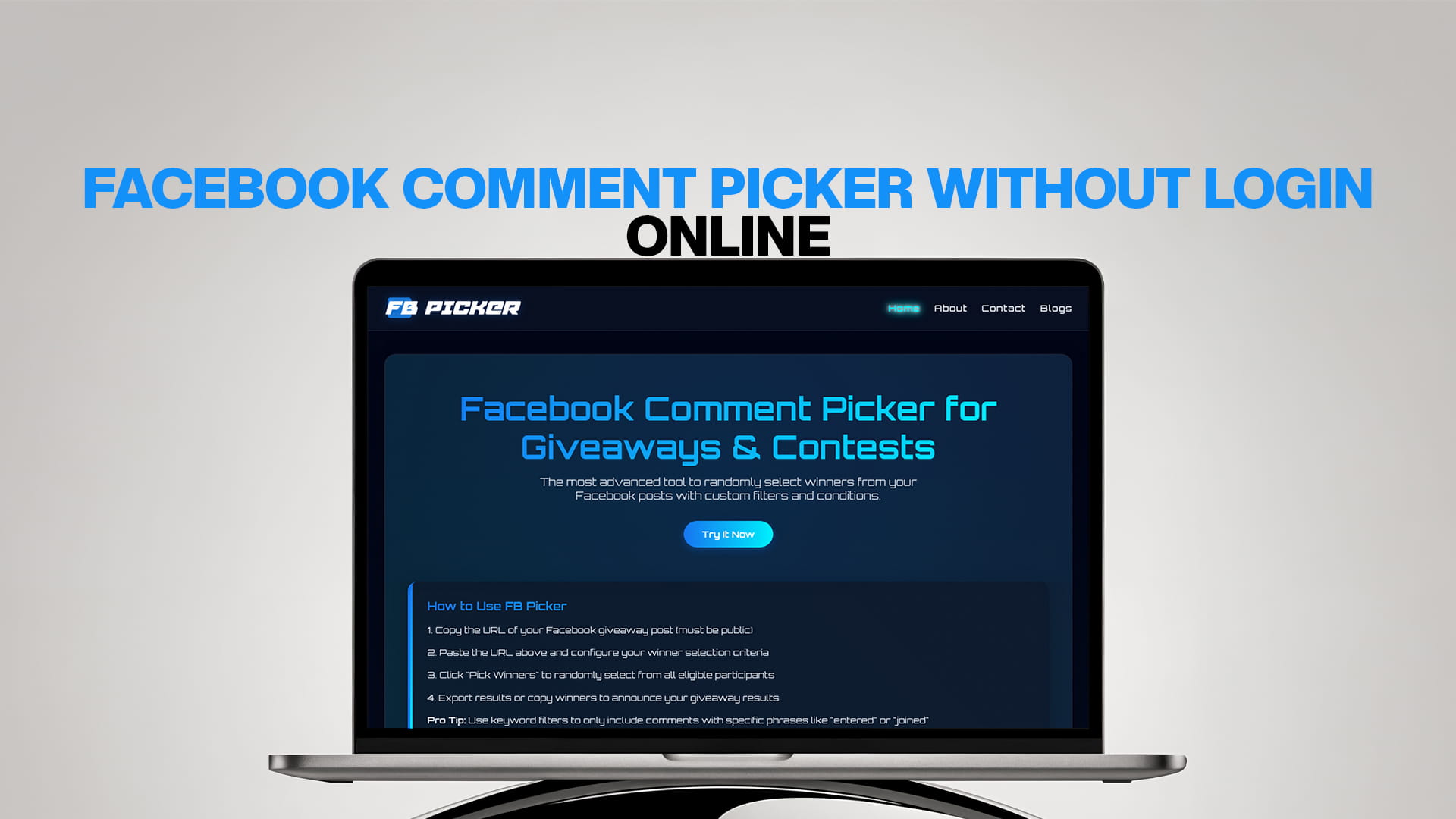
Facebook Comment Picker Without Login Online
Running giveaways and contests on Facebook is one of the best ways to grow your page and connect with your audience. But picking winners from hundreds or thousands of comments can be very hard and time-consuming. This is where a Facebook comment picker becomes your best friend.
Many people want to pick random winners from their Facebook posts, but don't want to share their login details with unknown websites. This worry is real and important. Your Facebook account has personal information, and sharing your password with third-party tools can be risky.
The good news is that you can now pick winners from Facebook comments without logging in. FB Picker is a smart, safe tool that lets you select random winners from your Facebook posts without asking for your login information. This makes the whole process safe, easy, and fast.
In this article, we will talk about everything you need to know about Facebook comment pickers, why you should use them, and how FB Picker stands out as the best choice for your needs.
What is a Facebook Comment Picker?
A Facebook comment picker is an online tool that helps you randomly select winners from comments on your Facebook posts. When you run a contest or giveaway on Facebook, people leave comments to enter. Some posts get tens of comments, while others get hundreds or even thousands.
Reading through all these comments and trying to pick a winner fairly is almost impossible to do by hand. You might accidentally pick someone twice, miss some comments, or people might think you chose your friends.
A comment picker tool solves all these problems. It reads all the comments from your post and uses a random selection process to pick winners. This makes sure the selection is fair, unbiased, and transparent.
The best part about modern Facebook comment pickers is that they work without needing you to log in. You simply paste the link to your Facebook post, and the tool does the rest.
Why Use a Facebook Comment Picker Without Login?
Safety First
When a tool asks you to log in with your Facebook account, it gets access to your personal information. Some tools might misuse this data or keep it stored on their servers. By using a comment picker that works without login, you keep your account safe and secure.
Your privacy matters. You should never risk your Facebook account just to pick a contest winner.
Quick and Easy
Tools that don't require a login are much faster to use. You don't need to go through multiple steps like clicking "Continue with Facebook," giving permissions, and waiting for authorization. Just paste your post link and get results in seconds.
No App Permissions
When you log in through third-party tools, Facebook asks you to give various permissions. These permissions might include access to your friends list, photos, posts, and more. With a no-login tool, you avoid all this completely.
Works for Everyone
Not everyone feels comfortable giving their login details to websites. Some people manage business pages for clients, and they cannot share login credentials. A no-login tool works perfectly for everyone, whether you're a small business owner, social media manager, or someone running a personal giveaway.
Transparent Process
When you use a tool without a login, you can see exactly what it's doing. It only accesses the public information from your post, nothing more. This transparency builds trust and confidence.
How Does FB Picker Work Without Login?
FB Picker uses a smart method to collect comments from your Facebook posts without needing access to your account. Here's how it works in simple terms:
Step 1: Public Post Requirement
Your Facebook post must be set to "Public" for FB Picker to work. Public posts can be seen by anyone on the internet, even people without Facebook accounts. This is important because FB Picker only reads publicly available information.
If your post is set to "Friends Only" or any private setting, the tool won't be able to see the comments.
Step 2: Copy Post Link
You go to your Facebook post and copy the link. Every Facebook post has a unique link. You can find this by clicking on the time stamp of your post or clicking the three dots and selecting "Copy Link."
Step 3: Paste into FB Picker
You visit FB Picker and paste your post link into the tool. The system then fetches all the comments from that post.
Step 4: Apply Filters
This is where FB Picker becomes really powerful. You can set up different filters and conditions to make your selection exactly how you want it. We'll talk more about filters in the next section.
Step 5: Pick Winners
Once you're ready, you click the button to pick winners. The tool uses a random selection algorithm to choose winners fairly from all eligible comments.
Step 6: Download Results
FB Picker gives you the complete results. You can see who won, export the list, and share it with your audience.
The entire process takes just a few minutes, and you never have to worry about security issues.
Amazing Features of FB Picker
FB Picker is not just another simple random picker tool. It comes with advanced features that make it the most powerful Facebook comment picker available online.
Custom Filters and Conditions
FB Picker lets you create custom filters to control exactly who can win. Some examples include:
- Minimum Comment Length: You can set a minimum number of words or characters for comments. This prevents people from just typing "done" or single emojis.
- Keyword Requirements: You can require that winning comments must include specific words or hashtags. For example, if your contest asks people to tag a friend, you can filter only comments with the @ symbol.
- Exclude Repeat Winners: If you run multiple contests, you can exclude people who have already won before.
- Remove Duplicate Entries: Some people try to enter multiple times by commenting repeatedly. FB Picker can detect and remove duplicate entries from the same person.
- Account Age Filter: You can exclude very new Facebook accounts, which helps prevent fake entries.
- Engagement Requirements: You can require that participants must have liked your page or must have certain profile characteristics.
These filters make your contests more fair and ensure that only genuine participants can win.
Multiple Winner Selection
Sometimes you need to pick more than one winner. Maybe you have first, second, and third prizes, or you want to select ten winners. FB Picker lets you choose as many winners as you need in a single run.
You can also pick backup winners in case your first choice doesn't respond or doesn't meet the prize requirements.
Real-Time Comment Loading
FB Picker fetches comments in real-time. This means if new comments are added while you're setting up your selection, they will be included automatically. You always work with the most current data.
Export and Share Results
Once winners are selected, FB Picker provides multiple ways to export and share results:
- Download as a text file
- Copy to clipboard
- Share directly on social media
- Generate a certificate or announcement image
This makes it easy to announce winners and keep records for your own files.
Comment Analytics
FB Picker shows you interesting statistics about your post:
- Total number of comments
- Number of unique participants
- Most active commenters
- Comment timeline and patterns
- Engagement metrics
These insights help you understand how your giveaway performed and plan better contests in the future.
Fair and Transparent
FB Picker uses certified random algorithms. This means the selection process is truly random and cannot be manipulated. You can trust that every eligible participant has an equal chance of winning.
The tool also provides a selection certificate that shows how the selection was made, which you can share with your audience to prove the process was fair.
Works on All Devices
FB Picker is a web-based tool that works perfectly on computers, tablets, and smartphones. You don't need to download or install anything. Just open your browser and start using it.
Regular Updates
The team behind FB Picker constantly updates the tool to keep up with Facebook's changes. When Facebook updates its platform, FB Picker adapts quickly to continue working smoothly.
Why FB Picker is Better Than Other Tools
There are many Facebook comment picker tools available online, but FB Picker stands out for several reasons:
No Login Required
As we discussed, FB Picker never asks for your Facebook login. Many other tools require you to connect your account, which creates security risks.
Advanced Filtering Options
Most simple picker tools just select a random comment with no conditions. FB Picker offers the most advanced filtering system available, giving you complete control over who can win.
User-Friendly Interface
FB Picker has a clean and simple design. Even if you've never used such a tool before, you can figure it out in minutes. Everything is clearly labeled, and there are helpful tips throughout the process.
Fast Performance
FB Picker is built with modern technology that makes it very fast. Even if your post has thousands of comments, the tool processes them quickly.
Completely Free
Many advanced features that other tools charge money for are completely free on FB Picker. You get access to all the powerful features without paying anything.
No Ads or Pop-ups
Using FB Picker is a pleasant experience because there are no annoying ads, pop-ups, or redirects. You can focus on selecting your winners without distractions.
Regular Feature Updates
The FB Picker team listens to user feedback and regularly adds new features. The tool keeps getting better over time.
Reliable and Stable
FB Picker is hosted on reliable servers and is available 24/7. You can run your selection anytime you need, day or night.
Step-by-Step Guide to Using FB Picker
Let's walk through the complete process of using FB Picker to select winners from your Facebook post.
Before You Start
Make sure your Facebook post is set to Public. Go to your post and check the privacy setting (the icon next to the timestamp). If it shows a globe icon, your post is public. If it shows silhouettes or a lock, you need to change it to public.
To change privacy settings, click the three dots on your post, select "Edit Privacy," and choose "Public."
Step 1: Open FB Picker
Go to your web browser and visit FB Picker. The homepage will greet you with a simple interface and a box to paste your Facebook post link.
Step 2: Get Your Post Link
Open Facebook and find the post you want to select winners from. Click on the timestamp or the three dots menu and select "Copy Link." The link will be copied to your clipboard.
Step 3: Paste the Link
Return to FB Picker and paste your post link into the provided box. Click the button to load comments.
Step 4: Wait for Comments to Load
FB Picker will now fetch all comments from your post. Depending on how many comments there are, this might take a few seconds to a minute. You'll see a progress indicator showing how many comments have been loaded.
Step 5: Review Comments
Once loading is complete, you'll see all the comments displayed. FB Picker shows you important information like:
- Total number of comments
- Number of unique participants
- Preview of comments
Step 6: Set Up Filters
This is the important step where you customize your selection rules. Click on the filters section and choose the conditions you want:
- Decide if you want to allow duplicate comments from the same person
- Set minimum comment length if needed
- Add keyword requirements
- Exclude specific users if needed
- Set any other conditions based on your contest rules
Step 7: Choose Number of Winners
Specify how many winners you want to select. You can pick one winner or multiple winners. You can also choose to select backup winners.
Step 8: Run the Selection
Click the "Pick Winners" button. FB Picker will now randomly select winners based on all your filters and conditions.
Step 9: View Results
The results screen shows you the winners with their names, profile pictures, and comments. You can review this information to make sure everything looks correct.
Step 10: Export or Share
Finally, export your results in your preferred format or share them directly. You can download the winner list, copy the information, or generate an announcement.
Step 11: Announce Winners
Go to your Facebook post and announce the winners. You can tag them in a comment or create a new post. Make sure to congratulate them and provide instructions on how to claim their prize.
Best Practices for Running Facebook Giveaways
Using FB Picker is easy, but running successful giveaways requires some planning and strategy. Here are some best practices to follow:
Set Clear Rules
Before you start your giveaway, write down clear and simple rules. Tell people:
- What they need to do to enter
- When the giveaway ends
- How winners will be chosen
- How winners will be notified
- Any eligibility requirements
- Prize details
Post these rules in your giveaway post so everyone can see them.
Follow Facebook Guidelines
Facebook has rules about running contests and giveaways. Make sure you follow them to avoid having your post removed or your page penalized. The main rules are:
- You must clearly state that Facebook is not associated with your giveaway
- You cannot ask people to tag themselves in photos they're not in
- You cannot ask people to share your post on their timeline as an entry method
- You must follow all applicable laws and regulations
Choose the Right Prize
Pick a prize that your target audience actually wants. The better the prize, the more entries you'll get. But make sure the prize is relevant to your brand or page. You want to attract people who are genuinely interested in what you offer, not just freebie hunters.
Set a Reasonable Timeframe
Don't make your giveaway too short or too long. A good timeframe is usually 3-7 days. This gives people enough time to see and enter, but creates urgency so they act quickly.
Promote Your Giveaway
Don't just post your giveaway and hope people find it. Promote it through:
- Stories and reels
- Your other social media channels
- Email newsletters
- Your website
- Partner pages or influencers
The more people see your giveaway, the more engagement you'll get.
Engage with Participants
While your giveaway is running, stay active in the comments. Answer questions, thank people for entering, and keep the excitement going. This builds community and makes people more likely to participate in future giveaways.
Verify Winners
After selecting winners with FB Picker, contact them to verify they meet all requirements and are willing to accept the prize. Sometimes winners don't respond or don't qualify, which is why having backup winners is smart.
Announce Publicly
When you announce winners, do it publicly so everyone can see the selection was fair. Tag the winners and congratulate them. Thank everyone who participated, even if they didn't win.
Deliver Prizes Promptly
Once you've confirmed your winners, deliver prizes as quickly as possible. This builds trust and makes people more likely to enter future giveaways.
Analyze and Learn
After your giveaway ends, look at the results. How many people entered? What was the engagement rate? Did you gain new followers? What worked well and what could be better? Use these insights to improve future giveaways.
Common Mistakes to Avoid
Many people make mistakes when running Facebook giveaways. Here are common problems and how to avoid them:
Not Reading Facebook's Rules
Violating Facebook's promotion guidelines can get your post removed or your page restricted. Always check Facebook's current rules before starting a giveaway.
Making Entry Too Complicated
If people need to jump through many hoops to enter, many will give up. Keep the entry simple.
Choosing Irrelevant Prizes
Offering prizes that have nothing to do with your brand attracts the wrong audience. You'll get many entries but few genuine followers.
Not Setting Clear Deadlines
If people don't know when your giveaway ends, they might miss it or not take it seriously. Always announce a specific end date and time.
Forgetting to Check Comment Settings
Make sure people can actually comment on your post. Sometimes Facebook settings restrict who can comment.
Not Removing Spam
Some people post spam comments or try to cheat. Remove these before running your selection to keep things fair.
Selecting Winners Manually
Trying to pick winners by scrolling through comments is unfair and inefficient. Always use a random picker tool like FB Picker.
Not Having Backup Winners
Your first selected winner might not respond or might be ineligible. Always pick backup winners so you can award the prize quickly.
Failing to Announce Winners
Some people forget to announce winners or take too long. This damages trust and makes people less likely to participate in future giveaways.
Not Following Through
The worst mistake is not delivering prizes. This can damage your reputation permanently and might even have legal consequences.
Types of Facebook Contests You Can Run
FB Picker works for any type of Facebook contest where people enter by commenting. Here are popular contest formats:
Comment to Enter
The simplest format. People just need to leave a comment to enter. You might ask them to comment with a specific word, answer a question, or just say they want to win.
Tag a Friend
Ask people to tag a friend in the comments. This is great for reach because it exposes your page to the friends who get tagged.
Caption This
Post a funny or interesting photo and ask people to write a creative caption in the comments.
Answer a Question
Ask a question related to your business or industry. People enter by commenting on their answer.
Share a Story: Ask people to share a story, memory, or experience related to your brand or product.
Photo Contests: Ask people to post photos in the comments. This works great for creative communities.
Hashtag Contests: Require people to use a specific hashtag in their comment to enter.
Multiple Entry Methods: Combine several entry methods. For example, people could earn one entry for commenting, another for tagging a friend, and another for sharing the post (though sharing should provide benefits beyond entry due to Facebook rules).
No matter which format you choose, FB Picker can handle the selection process efficiently.
FB Picker for Business Pages
If you run a business Facebook page, FB Picker is an essential tool for your marketing toolkit. Here's why businesses love FB Picker:
Professional Image
Using a proper random selection tool shows your customers you run professional, fair contests. This builds trust in your brand.
Save Time
As a business owner or social media manager, your time is valuable. FB Picker saves hours compared to manual selection.
Better Engagement
Running regular contests with FB Picker helps boost your page engagement. More engagement means Facebook shows your content to more people.
Grow Your Audience
Giveaways attract new followers. When you run contests regularly and select winners fairly with FB Picker, your page grows steadily.
Customer Data
The analytics FB Picker provides help you understand your audience better. You can see engagement patterns and participant behavior.
Marketing Insights
By analyzing your contest performance, you learn what types of prizes and entry methods work best for your specific audience.
Client Management
If you're a social media manager running contests for clients, FB Picker makes it easy to show clients the selection process was fair and transparent.
Compliance
FB Picker helps you stay compliant with contest regulations by providing documented proof of how winners were selected.
FB Picker vs Manual Selection
Let's compare using FB Picker versus trying to select winners manually:
Time
Manual selection could take hours, especially if you have hundreds of comments. FB Picker takes just a few minutes, no matter how many comments you have.
Fairness
Manual selection has bias, even if you try to be fair. You might accidentally favor certain names or skip some comments. FB Picker uses true random selection with zero bias.
Accuracy
When selecting manually, you might accidentally pick someone twice, miss comments, or make counting errors. FB Picker is 100% accurate.
Transparency
Manual selection is hard to prove to your audience. With FB Picker, you can show exactly how the selection was made.
Duplicate Detection
Manually checking if people commented multiple times is very difficult. FB Picker automatically detects and handles duplicates.
Filtering
Applying complex filters manually is nearly impossible. FB Picker makes advanced filtering easy.
Record Keeping
Manual selection leaves no clear record. FB Picker provides exportable results you can keep for your files.
Professional Results
Manual selection looks amateur. Using FB Picker shows you run professional contests.
The choice is clear: FB Picker is superior in every way.
Frequently Asked Questions About Facebook Comment Pickers
While we won't list formal FAQs here, it's worth mentioning that many people have similar questions when they first learn about Facebook comment pickers. Common concerns include whether the tools are safe (yes, especially no-login tools like FB Picker), whether they really work (absolutely), and whether Facebook allows them (yes, as long as you follow Facebook's promotion guidelines).
People also wonder if these tools can see private messages (no, only public comments), if the selection is truly random (yes, FB Picker uses certified random algorithms), and whether you need technical knowledge to use them (not at all, FB Picker is designed for anyone to use).
The Future of Social Media Giveaways
Social media contests and giveaways continue to be one of the most effective marketing strategies. As platforms evolve, tools like FB Picker evolve too.
The trend is moving toward more transparency, fairness, and user privacy. People want to know their information is safe, and they want to see proof that contests are run fairly. This is exactly what FB Picker provides.
In the future, we'll likely see even more advanced features like:
- AI-powered fraud detection
- Better integration with multiple platforms
- More detailed analytics
- Automated winner notification
- Integration with prize fulfillment services
FB Picker stays ahead of these trends by constantly updating and improving.
Tips for Maximum Engagement
To get the most out of your Facebook giveaways, follow these tips:
Post at Peak Times
Share your giveaway when your audience is most active. For most pages, this is evenings and weekends.
Use Eye-Catching Images
Your giveaway post should have an attractive image that makes people stop scrolling.
Write Compelling Copy
Your post text should create excitement and clearly explain how to enter.
Create Urgency
Use phrases like "ends soon" or "limited time" to encourage quick action.
Show the Prize
If possible, include a photo of the actual prize so people can visualize winning it.
Engage Quickly
Respond to the first few comments quickly to start a conversation and encourage more participation.
Pin the Post
Pin your giveaway post to the top of your page so visitors see it first.
Cross-Promote
Share your giveaway on other platforms to maximize entries.
Legal Considerations
Running contests involves legal responsibilities. While FB Picker handles the technical selection, you need to handle the legal side:
Official Rules
Create official rules for your contest that cover all legal requirements in your location.
Age Requirements
Specify minimum age requirements (usually 18+) and require parental consent for minors if applicable.
Geographic Restrictions
Clearly state which countries or regions can participate.
No Purchase Necessary
In most places, you cannot require people to buy something to enter a contest.
Value Declaration
For high-value prizes, you may need to report winnings to tax authorities.
Prize Limitations
Some locations restrict certain types of prizes. Check local laws.
Release of Liability
Include clauses that protect you from liability related to prize use.
Consider consulting a lawyer when running large contests or if you're unsure about legal requirements in your area.
Success Stories
Many businesses and individuals have found great success using FB Picker for their Facebook contests. Small businesses report growing their follower count by hundreds through regular giveaways. Nonprofits use FB Picker to run fundraising contests that engage donors. Content creators build their communities by rewarding loyal followers with prizes selected fairly through FB Picker.
The common thread in all success stories is consistency. Running occasional giveaways is good, but running them regularly with fair selection creates trust and builds a loyal, engaged community.
Conclusion
A Facebook comment picker without login is not just convenient—it's essential for anyone running contests on Facebook. FB Picker stands out as the most advanced, secure, and user-friendly option available.
By using FB Picker, you save time, ensure fairness, protect your privacy, and run professional contests that build trust with your audience. Whether you're a small business owner, social media manager, content creator, or just someone running a fun giveaway, FB Picker provides all the tools you need.
The combination of no-login security, advanced filtering options, real-time processing, and completely free access makes FB Picker the obvious choice for your Facebook contest needs.
Visit FB Picker today and experience how easy and powerful selecting winners from your Facebook posts can be. Join thousands of satisfied users who trust FB Picker for their giveaway needs.
And if you also run contests on TikTok, check out TTPicker.com - TT Picker is a TikTok Comment Picker that brings the same powerful features to your TikTok giveaways.
Start running better, fairer, and more successful Facebook contests today with FB Picker!