
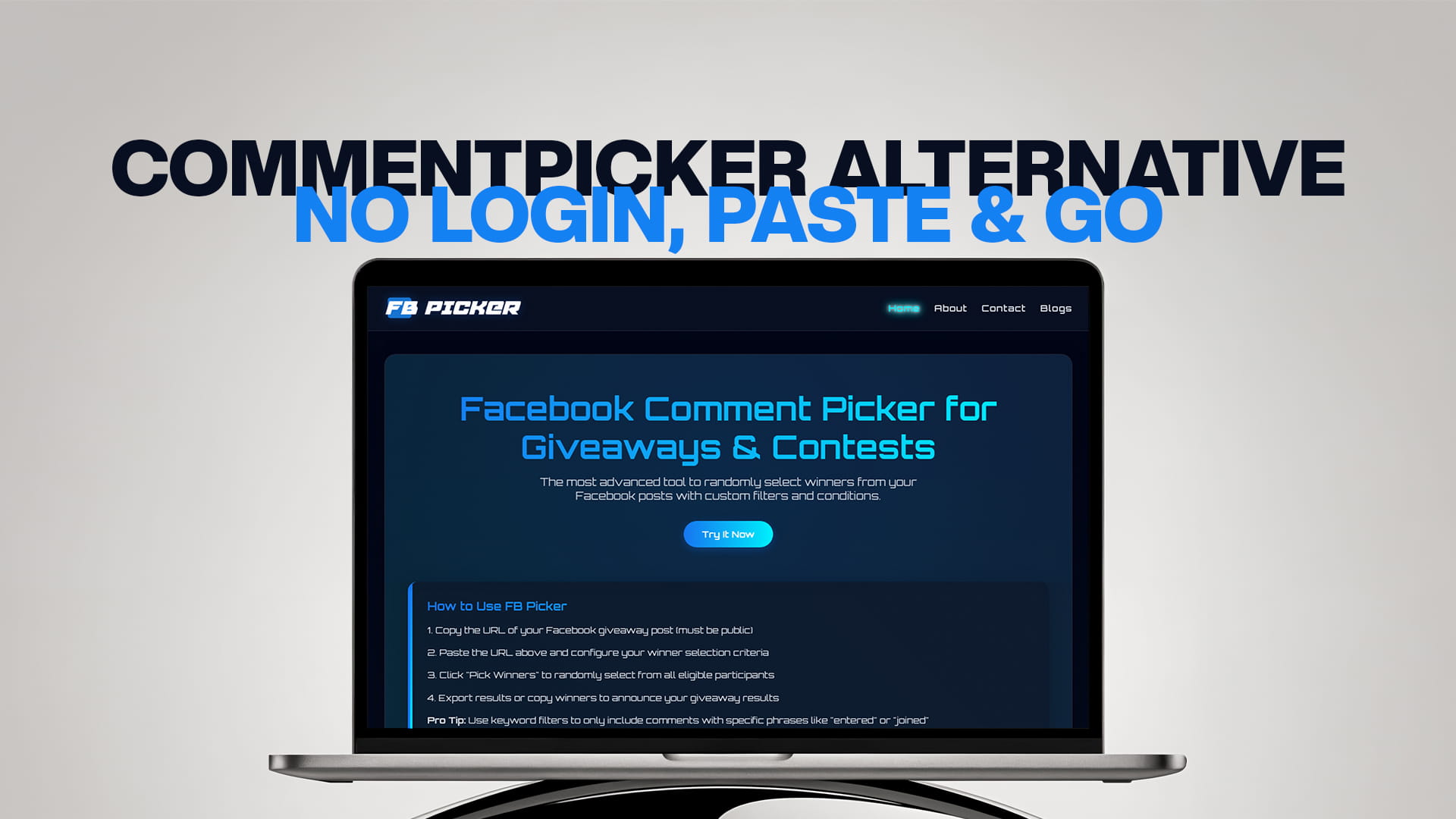
CommentPicker Alternative: No Login, Paste & Go
There's a specific kind of friction that sends people looking for a CommentPicker alternative, and it isn't a dramatic failure. It's the small, repeated annoyance of signing in and connecting a Facebook Page every time you want to do something that should take ten seconds. You have a post full of comments. You want a winner. And instead of just getting one, you're staring at a login screen and a list of permissions to approve. For a single big campaign that's tolerable. For anyone who runs giveaways regularly, it's a papercut that reopens every time.
"Paste and go" describes the alternative most people actually want: copy your post link, paste it into a tool, and draw a winner, no account, no login, no permissions, nothing to set up or clean up afterward. This guide walks through exactly how that workflow differs from CommentPicker's login-based Facebook tool, why paste-and-go is both faster and safer, where its limits are, and how to switch in the time it takes to run one draw.
The two frustrations behind the search
Almost everyone searching for a CommentPicker alternative is escaping one of two specific things.
The first is the login and Page connection. CommentPicker's Facebook tool asks you to sign in through Meta's official interface and connect a Facebook Business Page you administer, granting read permissions in the process. That design has legitimate uses, but it carries three costs: it only works on Pages you manage, it adds an authentication step to every draw, and it leaves you with a connected app to remember and eventually revoke.
The second is the free-tier comment cap. CommentPicker's free Facebook tool reads up to 100 comments. On a small giveaway, that's fine. On a giveaway that pulls 700 comments, it means your draw is happening from a fraction of your entrants, which quietly excludes the majority of people who entered in good faith. At that point you either pay to lift the limit or switch to something without the ceiling.
Neither of these makes CommentPicker a bad tool; they're deliberate trade-offs of the account-connected model. But if what you want is a fast, uncapped, no-login draw from a public post, you want the other model entirely.
What "paste and go" actually means
Paste-and-go tools work from the public web address of your post rather than from your account. The logic is simple: comments on a public Facebook post are publicly visible, so a tool doesn't need to be you to read them. It just needs the link.
The workflow is exactly what the name says. You copy your giveaway post's URL. You paste it into the tool. The comments load. You set your conditions and draw a winner. There's no sign-in screen, no permission prompt, no Page-selection step, and nothing connected to your account when you're done. The entire interaction is copy, paste, draw.
That single structural difference, working from a URL instead of an account connection, is what produces every advantage people associate with the approach. It's not a different kind of randomness or a different quality of draw. It's the same fair result reached without the setup.
Why paste-and-go is faster
The speed gain is obvious in the moment and compounds over time. A login-based draw involves signing in, approving or confirming permissions, selecting the right Page, and locating the post inside a dashboard before you can even start. A paste-and-go draw skips all of that: the first thing you do is paste, and the second thing you do is draw.
For a one-off giveaway, that's a minor convenience. For anyone running giveaways monthly, weekly, or across several pages, it's the difference between winner selection being a quick task and being a small recurring chore. Multiply the saved minutes across a year of contests and the workflow difference becomes the whole reason people switch and stay switched. A free comment picker and giveaway tool that starts from a URL turns every draw into a sixty-second job.
Why paste-and-go is safer
The security argument is subtler but stronger, and it comes down to a simple principle: you can't expose access you never granted.
When you log in to a third-party tool and approve permissions, you're extending a connection to your account. Reputable tools request only read access and behave responsibly, but you're still trusting that service, and you now have a connected app that should be reviewed or revoked when you stop using it, something almost nobody actually does. A paste-and-go tool removes that entire category of risk. It never sees your password, never connects to your account, and never holds permissions you'd have to clean up. It reads what's already public and nothing more, which is a smaller footprint than any connected app, however trustworthy.
For anyone cautious about account security, or managing a page they can't afford to put at risk, that's a real difference. The safest permission is the one you never had to grant, and paste-and-go never asks for one.
Where paste-and-go has limits
An honest comparison names the trade-off, because it's real. A URL-based tool can only read public content. If your giveaway post is set to friends-only, or lives in a private group, a paste-and-go tool can't see the comments, because the public web can't see them either. For those cases, you'd either make the post public before drawing, or export the comments manually and run the picker against that list.
For the overwhelming majority of giveaways, which run on public Pages, this isn't a limitation at all. It's simply the reason the two models coexist: the account-connected approach earns its place for private content and enterprise-scale integrations, while paste-and-go wins for the ordinary public-post giveaway that describes almost every contest. Knowing which you're running tells you which tool fits.
How FB Picker does paste-and-go
FB Picker is built entirely around this model, so it answers both CommentPicker frustrations directly. It works from a pasted public post URL with no account, no login, and no Page connection, which means there's nothing to authorize and nothing to revoke, and it works on any public post, not only Pages you administer. It reads the comments on your post rather than stopping at a 100-comment free ceiling, so a large giveaway gets a fair draw from the full pool without a paywall standing between you and fairness.
The draw itself covers everything a real giveaway needs. You can remove duplicate commenters so nobody wins by posting twenty times, require a keyword so only people who followed your instructions stay in, and exclude replies that shouldn't count. It selects the winner at random using a cryptographically secure method, on screen, so you can record the draw and post it as proof of fairness. For tiered prizes or backups against a no-show, you can pick multiple winners in a single pass, and you can export the entrant and winner lists for your records. Where CommentPicker keeps an edge is breadth across many social networks in one dashboard; for the Facebook giveaway itself, paste-and-go is simply less setup for the same fair outcome.
Switching takes exactly one draw
There's nothing to migrate, because comment pickers don't hold your history. Your giveaways live on your Facebook Page, and any records you kept are your own files. Switching is literally running your next draw differently: confirm the giveaway post is public, copy its URL using the three-dot "Copy link" on desktop or in the app, paste it into the new tool, set your filters, and draw. The first time through, the thing you'll notice is everything that didn't happen: no sign-in, no permissions, no Page selection, which is the entire point. Most people run one draw the new way and never open the login-based tool again. Because a paste-and-go tool costs nothing to try, the switch is a free experiment you can run on your very next contest.
Choosing honestly
Stay with CommentPicker, or another account-connected tool, if you run contests across many networks and value a single familiar dashboard, if your giveaways sometimes involve content that needs authenticated access, or if you're already on a paid plan where the comment cap never touches you.
Move to a paste-and-go alternative if your giveaways run on public Facebook posts, if the 100-comment free cap has ever forced an unfair draw or an unplanned upgrade, if you'd rather not maintain connected-app permissions, or if you simply want the fastest possible path from post to winner. Most people running ordinary Facebook giveaways fall squarely into the second group, which is exactly why the paste-and-go model keeps converting people who were used to logging in. Running each contest through the same random comment picker for giveaways keeps the whole process quick and consistent from one draw to the next.
The bottom line
The CommentPicker alternative most people are looking for is defined by what it removes rather than what it adds: no login, no Page connection, no permission prompts, and no low comment cap. Paste-and-go delivers the same fair, random, recordable draw through a faster workflow, because there's no sign-in to sit through, and safer, because you can't expose access you never granted. Its only real limit is that it reads public posts, which is exactly what the vast majority of giveaways are. Decide which frustration sent you searching, and if it's the login or the cap, the answer is a free, URL-based picker. Copy your link, paste it, draw your winner, and you'll wonder why winner selection ever needed an account in the first place.
Frequently Asked Questions
For a standard Facebook giveaway on a public post, a paste-and-go tool like FB Picker is usually the best fit: it works from a pasted URL with no account, has no 100-comment free cap, and includes duplicate removal, keyword filters, multiple winners, and a recordable random draw. You copy the link, paste it, and draw, with nothing to set up or revoke.
Comments on a public Facebook post are publicly visible, so a URL-based tool reads them the same way any visitor could, from the post's public address. That's why the post must be set to public, and it's also why such a tool can draw from any public post, not just Pages you administer.
Yes, in a specific sense: you never grant the tool access to your account, so there's no password shared, no permissions approved, and nothing to revoke later. It only reads the public comments already visible on your post, which is a smaller footprint than any connected app. The trade-off is that it can't read private or friends-only posts.
That's the free-tier limit on its Facebook comment picker; higher volumes require a paid plan. The practical problem is that a giveaway pulling several hundred comments would draw from only the first 100, excluding most entrants. A no-login tool without that cap draws from your full comment pool for free.
There's nothing to migrate. Your giveaways live on your Facebook Page, so switching just means running your next draw from a pasted public URL instead of a connected account: copy the link, paste it, set filters, and draw. Your first draw with the new tool is effectively the entire switch.